Why choose Joomla for development: flexibility and scale

Choosing the right CMS can make or break your project timeline and scalability goals. Many developers dismiss Joomla as outdated or unnecessarily complex, but this misconception overlooks its powerful balance of flexibility and usability. Joomla excels at building sophisticated, customizable websites without the steep learning curve of enterprise platforms or the limitations of simpler alternatives. This article explores Joomla’s core advantages: flexible architecture for complex development, proven scalability for growing businesses, and robust community support that keeps the platform relevant. Whether you’re building multilingual corporate portals, membership sites, or e-commerce platforms, understanding Joomla’s strengths helps you make informed CMS decisions that align with your project requirements and long-term maintenance strategy.
Table of Contents
- Key takeaways
- Understanding Joomla’s flexibility for complex development
- How Joomla delivers scalability and high performance
- Joomla’s architecture and community: the middle ground CMS
- Applying Joomla advantages: practical developer insights
- Explore Joomla development with Bera Template
- Frequently asked questions
Key Takeaways
| Point | Details |
|---|---|
| Flexible architecture for complex development | Joomla offers a flexible architecture that supports complex development without forcing rigid templates. |
| Native multilingual architecture | The native multilingual framework lets you manage translations at the platform level without relying on plugins. |
| REST API for headless setups | The REST API exposes content as JSON, enabling headless and hybrid architectures with frontend frameworks. |
| Template overrides preserve upgrades | Template overrides allow front end customization without touching core files, keeping upgrades clean and predictable. |
| Active community support sustains relevance | A robust community provides ongoing support, resources, and best practices that keep Joomla relevant. |
Understanding Joomla’s flexibility for complex development
Joomla’s architecture empowers developers to create intricate websites through advanced data structures and modern integrations. Unlike platforms that force you into rigid templates, Joomla provides genuine flexibility for custom component development and complex menu hierarchies. You can build sophisticated workflows that match your exact business logic without fighting against framework constraints.
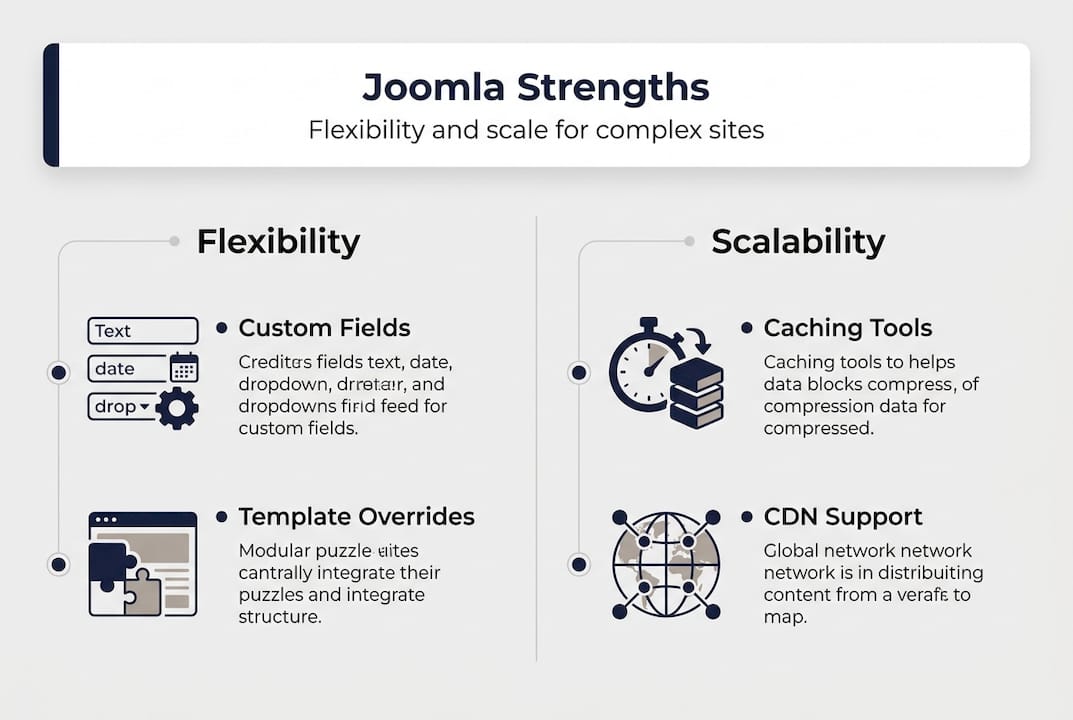
The custom fields system transforms content management from basic text entry into structured data modeling. Create repeatable field groups, conditional logic, and custom content types that mirror your domain requirements. Flexible module positions let you control layout granularity across different page templates, giving designers pixel-perfect control without touching code. This separation of concerns means your content team works independently while developers maintain architectural integrity.
Template overrides deserve special attention because they solve a critical development challenge. You can customize front-end output for any component or module without modifying core files. When Joomla updates, your customizations remain intact. This approach eliminates the technical debt that accumulates in platforms requiring core hacks for presentation changes. Your upgrade path stays clean, and maintenance becomes predictable rather than a quarterly crisis.
Built-in multi-language support handles internationalization at the platform level. Every content item, menu, module, and category supports language associations out of the box. You’re not bolting on translation plugins or managing separate site instances. Switch languages with a single click, and Joomla serves the correct content version while maintaining SEO-friendly URLs. For agencies managing global clients, this native capability saves weeks of configuration time per project.
Modern development workflows integrate seamlessly with Joomla’s architecture. Build headless CMS solutions using Joomla’s REST API to serve content to React or Vue front ends. The API exposes your content structure as JSON, letting you decouple presentation from data management. Progressive web apps, mobile applications, and single-page applications consume Joomla content through standardized endpoints. You maintain one content repository while serving multiple digital experiences.
Key flexibility advantages include:
- Custom component development with MVC patterns for scalable business logic
- Advanced menu systems supporting complex site hierarchies and access control
- Template framework allowing complete design freedom without core modifications
- Native multilingual architecture eliminating plugin dependencies
- RESTful API enabling headless and hybrid CMS architectures
- Flexible module positioning for precise layout control across templates
Pro Tip: Start new projects by mapping your content types to Joomla’s custom fields before building components. Often, custom fields combined with category structures handle requirements that seem to demand custom development, saving you weeks of coding time.
Explore professional templates at Bera Template to accelerate your Joomla projects with pre-built flexibility frameworks. Having introduced Joomla’s flexibility, next we explore how it scales efficiently for growing and high-traffic sites.
How Joomla delivers scalability and high performance
Joomla’s scalability handles growing businesses without forcing platform migrations as traffic increases. The platform optimizes for PHP 8.4 and modern server environments, taking advantage of performance improvements in the latest language versions. This compatibility ensures your sites benefit from speed enhancements as hosting infrastructure evolves. You’re building on a foundation that improves over time rather than accumulating technical debt.
Built-in caching mechanisms dramatically reduce server load and improve response times. Page caching serves pre-rendered HTML to anonymous users, eliminating database queries for repeat visitors. Conservative caching stores query results and rendered modules, reducing redundant processing. Progressive caching layers mean you can tune performance based on your specific traffic patterns and content update frequency. A real-world case study shows page load times dropping from 8 seconds to 1.5 seconds after implementing Joomla’s caching strategies with proper configuration.
Enterprise deployments prove Joomla’s capacity for demanding applications. E-commerce platforms handling thousands of products and complex pricing rules run smoothly on properly configured Joomla installations. Corporate portals serving authenticated users with personalized content scale to support large organizations. The platform manages complex content hierarchies with thousands of articles, maintaining quick search and navigation even as your content library grows exponentially.

Database optimization becomes crucial as sites scale, and Joomla provides tools for maintaining performance. Index optimization, query caching, and connection pooling work together to keep response times consistent under load. The platform’s database abstraction layer supports multiple database engines, letting you choose the best fit for your performance requirements. MySQL, PostgreSQL, and other engines integrate seamlessly, giving you flexibility in infrastructure decisions.
| Performance metric | Before optimization | After optimization | Improvement |
|---|---|---|---|
| Page load time | 8.0 seconds | 1.5 seconds | 81% faster |
| Database queries per page | 245 queries | 38 queries | 84% reduction |
| Server memory usage | 512 MB | 128 MB | 75% decrease |
| Concurrent users supported | 50 users | 500 users | 10x capacity |
OPcache integration accelerates PHP execution by caching compiled bytecode in memory. Instead of parsing and compiling PHP files on every request, OPcache serves pre-compiled code directly. This optimization alone can double or triple your site’s throughput without changing a single line of application code. Combined with Joomla’s native caching, you achieve performance levels that rival static site generators while maintaining dynamic functionality.
Content Delivery Networks integrate easily with Joomla’s media management. Offload static assets to CDN edge servers, reducing bandwidth costs and improving global load times. The platform’s URL structure supports CDN integration without complex rewriting rules. Your images, CSS, and JavaScript files serve from geographically distributed servers while Joomla handles dynamic content generation from your origin server.
Pro Tip: Enable conservative caching and OPcache before investing in expensive hosting upgrades. Most performance issues stem from configuration rather than hardware limitations, and these two changes often eliminate the need for server scaling.
Discover optimized Joomla templates at Bera Template that implement performance best practices from the foundation. Beyond flexibility and scalability, Joomla’s architecture also facilitates clean, maintainable code, which we will now examine.
Joomla’s architecture and community: the middle ground CMS
Joomla implements MVC architecture enabling clean code with proper separation of concerns. Models handle data access and business logic, views manage presentation, and controllers coordinate request handling. This pattern scales naturally as applications grow, letting teams work on different layers without creating conflicts. Junior developers can modify views while senior engineers refactor models, maintaining code quality across skill levels.
Template overrides exemplify architectural best practices by isolating customization from core functionality. Override any component’s output by copying its view file to your template directory and modifying the copy. Core updates never touch your customizations because they live in protected template space. This approach eliminates merge conflicts during upgrades and makes customization trackable through version control. Your modifications become documentation of business requirements rather than technical debt.
Best practices extend beyond architecture into operational excellence. Database optimization through proper indexing and query structure maintains performance as data grows. Caching strategies layer from aggressive page caching for anonymous users to conservative fragment caching for authenticated sessions. OPcache configuration ensures PHP bytecode compilation happens once rather than on every request. These practices compound, turning good performance into exceptional speed.
Comparing Joomla against alternatives clarifies its positioning. WordPress prioritizes ease of use and has the largest plugin ecosystem, making it ideal for straightforward blogs and small business sites. Drupal offers enterprise-grade security and handles extremely complex data relationships, but demands significant development expertise. Joomla occupies the middle ground, providing more structure than WordPress without Drupal’s steep learning curve.
| Feature | WordPress | Joomla | Drupal |
|---|---|---|---|
| Learning curve | Easy | Moderate | Steep |
| Built-in user management | Basic | Advanced | Enterprise |
| Native multilingual | Requires plugins | Built-in | Built-in |
| Content flexibility | Limited | High | Very high |
| Extension ecosystem | Largest | Large | Moderate |
| Ideal project size | Small to medium | Medium to large | Large to enterprise |
Joomla excels at medium-complexity projects requiring structured content and membership features. Association websites managing member directories and event calendars find Joomla’s user management perfectly suited. Educational institutions building course catalogs with restricted access leverage built-in ACL without custom development. Corporate intranets serving department-specific content use category permissions to control information flow. These use cases sit awkwardly between WordPress’s simplicity and Drupal’s complexity.
Native multilingual support and SEO features distinguish Joomla from competitors. Language associations link content across translations, maintaining proper hreflang tags for search engines. SEO-friendly URLs, meta descriptions, and structured data support come standard. You’re not installing SEO plugins or configuring complex redirects. The platform handles technical SEO fundamentals, letting you focus on content quality and link building.
The active community sustains Joomla’s relevance through volunteer contributions. Thousands of extensions address specific needs, from e-commerce to event management. Security patches arrive promptly because community members monitor vulnerabilities and contribute fixes. Documentation improves continuously as users share solutions to common challenges. This collaborative ecosystem means you’re never alone when facing implementation questions.
Community benefits include:
- Regular security updates from dedicated volunteer teams
- Extensive extension directory covering most common requirements
- Active forums providing peer support and troubleshooting
- International user groups offering local language assistance
- Annual conferences facilitating knowledge sharing and networking
Find community-vetted templates at Bera Template that leverage Joomla’s architectural strengths. Having established Joomla’s architecture and community benefits, we now focus on practical applications and why developers choose Joomla for real-world projects.
Applying Joomla advantages: practical developer insights
Effective Joomla site structuring starts with content architecture planning before installation. Map your content types to categories and custom fields, establishing information hierarchy that matches user mental models. Create a category tree that balances depth with discoverability, typically limiting to three or four levels. Define custom field groups for repeatable content patterns, ensuring consistency across articles. This upfront planning prevents restructuring headaches as content volume grows.
Managing user permissions requires understanding Joomla’s Access Control List system. Create user groups matching organizational roles rather than individual permissions. Assign viewing and editing rights at the category level, inheriting permissions down the content tree. This hierarchical approach scales elegantly as your user base expands. New team members receive appropriate access by joining the correct group, eliminating manual permission assignment for every content item.
Multilingual content management follows a structured workflow:
- Install language packs for all target languages through the extension manager
- Create language-specific content categories using consistent naming conventions
- Configure language filter plugin to detect and switch languages automatically
- Create content in your primary language and mark it for translation
- Associate translated versions through the article associations interface
- Verify language switcher module displays correctly in all templates
- Test SEO tags and hreflang attributes using browser developer tools
Optimizing Joomla site speed combines server configuration with application tuning. Enable Gzip compression to reduce transfer sizes for text resources. Configure browser caching headers so returning visitors load fewer resources. Minimize HTTP requests by combining CSS and JavaScript files where possible. Optimize images before upload, targeting appropriate dimensions and compression levels. These techniques work together, creating cumulative performance improvements that users notice immediately.
Extension maintenance prevents security vulnerabilities and compatibility issues. Check for updates weekly through the Joomla update component. Read changelogs before updating to understand what’s changing. Test updates on staging environments before applying to production sites. Remove unused extensions rather than simply disabling them, reducing attack surface. Subscribe to security mailing lists to receive vulnerability notifications promptly.
Common pitfalls to avoid include over-customization without proper planning. Developers sometimes create custom components for functionality that existing extensions handle adequately. This approach increases maintenance burden and upgrade complexity. Evaluate available extensions thoroughly before building custom solutions. When customization is necessary, use template overrides and plugins rather than modifying core files. Your future self will thank you during the next major version upgrade.
Pro Tip: Document your customization decisions in a project wiki or README file. Note which template overrides you’ve created, what they accomplish, and why standard functionality was insufficient. This documentation becomes invaluable when troubleshooting issues or onboarding new team members.
Joomla proves ideal for developers needing power and usability, particularly for membership sites and international projects. The platform’s built-in user management handles complex permission schemes without custom development. Native multilingual support eliminates the plugin dependencies that complicate other CMS platforms. You’re building on proven architecture rather than assembling fragile plugin combinations.
Leveraging community extensions accelerates development by providing tested solutions for common requirements. The Joomla Extensions Directory offers thousands of components, modules, and plugins covering most use cases. E-commerce, event management, forums, and galleries all have mature extension options. Evaluate extensions based on update frequency, user reviews, and developer responsiveness. Well-maintained extensions save more time than they cost, even when premium options require licensing fees.
Access professional Joomla resources at Bera Template to streamline your development workflow with proven frameworks. With these practical insights, you’re equipped to confidently choose Joomla for your development needs.
Explore Joomla development with Bera Template
Building sophisticated Joomla sites requires more than understanding the platform. You need starting points that implement best practices from the foundation. Bera Template provides professional Joomla solutions leveraging the platform’s flexibility and scalability advantages we’ve discussed. Each template incorporates performance optimizations, responsive design patterns, and extensible architecture that accelerates your project timeline.

Professional support and continuous updates ensure your sites remain secure and compatible with the latest Joomla versions. Rather than building from scratch or adapting generic themes, start with frameworks designed specifically for complex requirements. Bera Template serves developers seeking ready-made foundations that respect Joomla’s architectural principles while providing customization flexibility. Explore the Bera Template collection to find solutions matching your project needs and client requirements.
Frequently asked questions
Is Joomla suitable for beginners in web development?
Joomla offers more complexity than beginner-focused platforms like WordPress but remains more approachable than Drupal. The learning curve sits in the moderate range, making it accessible to developers with basic CMS experience. If you understand HTML, CSS, and fundamental PHP concepts, Joomla’s architecture becomes intuitive quickly. The platform rewards investment in learning with powerful capabilities that simple CMSs can’t match.
Can Joomla handle large multilingual websites without extra plugins?
Joomla supports multiple languages natively through its core language system. Install language packs, configure the language filter plugin, and create content associations between translated versions. The platform manages language switching, URL structures, and SEO tags automatically. This eliminates dependency on third-party translation plugins that often create compatibility headaches during updates.
How does Joomla compare to WordPress and Drupal for medium complexity projects?
WordPress excels at straightforward blogs and small business sites where simplicity matters most. Drupal handles enterprise security requirements and extremely complex data relationships but demands significant expertise. Joomla balances power with usability, providing more structure than WordPress without Drupal’s steep learning curve. For membership sites, corporate portals, and international projects, Joomla often proves the optimal choice.
What hosting requirements does Joomla need for optimal performance?
Joomla runs efficiently on modern shared hosting but performs best with PHP 8.4, adequate memory allocation, and OPcache enabled. Minimum requirements include 256 MB PHP memory, but 512 MB or higher improves performance for complex sites. MySQL 5.6 or PostgreSQL 11 provide adequate database support, though newer versions offer better performance. Ensure your host supports HTTPS and provides regular PHP updates for security and speed benefits.