DropEditor, Joomla Rich Text and Code Editor
DropEditor is a free text editor for Joomla. Manage images, files, buttons, and bullet list, save and re-use layouts from the editor
Why DropEditor, Joomla Rich Text and Code Editor
- Multi-column manager for creating custom layouts or using pre-defined ones
- Template editor tool to save and reuse layouts
- Easy-to-use image & file manager (Droppics for images, Dropfiles for files)
- Summary and button edition tools
- Visual styles, titles, and profiles edition for custom styling
- Droptables integration for Joomla table management
- Anchor manager and link manager for easy linking
- Video and sound managers for embedding media
- Drag'n drop interface
- Frontend editor support with user access controls
- Search and replace functionality
- Google fonts and custom font colors integration
- Open source and free core version

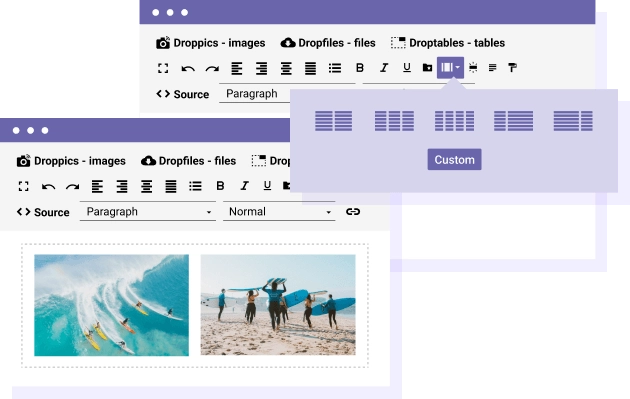
Manage Columns in Text Editor DropEditor got an exclusive column manager tool. Within a click, you can insert predefined equal & responsive columns or you can use the custom sized columns manager: Add a custom column number, setup column spaces and finally edit content from the editor.
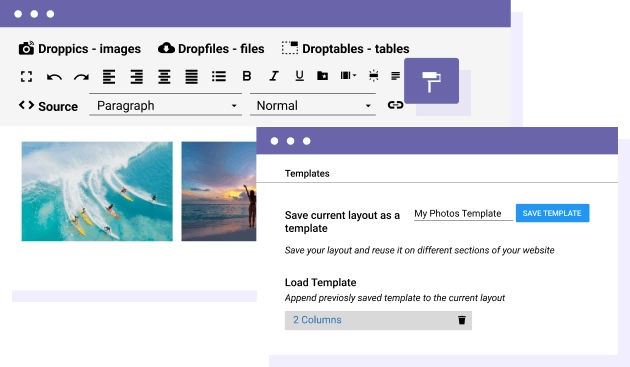
Save the Layouts Using the Template Manager With the template manager you'll be able to save the layout you've built in an article in order to use it somewhere else. This tool is saving all the HTML content and structure from any article, so you can copy it where you want and just replace the content you want.
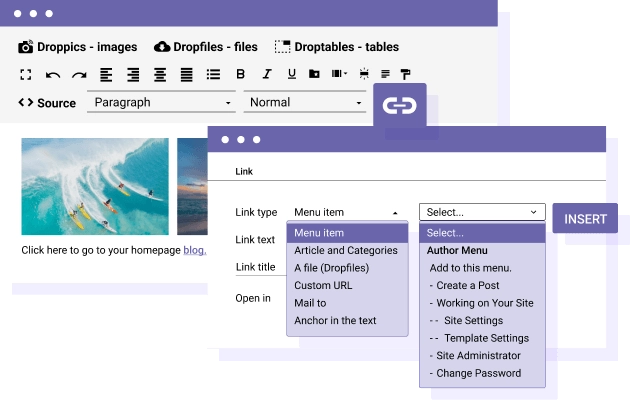
Link Editor: Link to Any Joomla Content in a Click Hyperlink manager is one of the most important tool in an editor, so it has to be easy to use! The link editor is fully Joomla integrated and you make link to menu or any Joomla content, like articles, in a breeze.
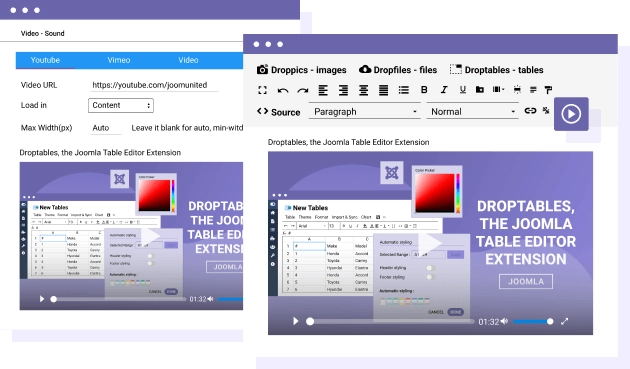
Video and Sound Player Made Easy Videos along with images is one of the most popular content used in the editor, DropEditor includes a video and sound manager. You can include in one click external videos or internal (from your server) video and sound files. Youtube videos: embed video in one click or load it as popup Youtube videos: define custom size and thumbnail Vimeo videos: embed video in one click or load it as popup Vimeo videos: define custom size and thumbnail Local videos: load local video using a HTML5 player Local sounds: load local sounds using a HTML5 player
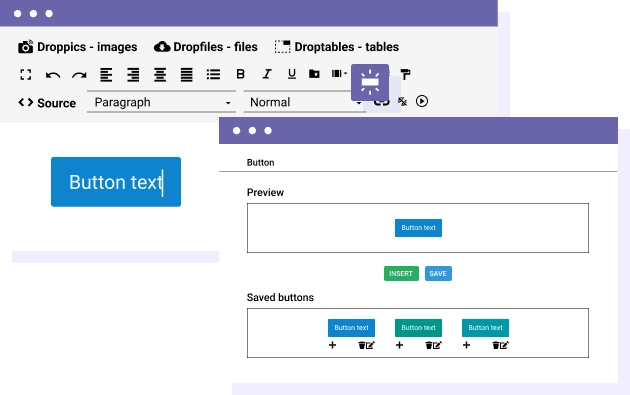
Buttons Manager: Create, Save and Use Custom Buttons Adding an action button usually require some HTML/CSS knowledge. It's no longer the case, you can create and save a set of buttons to use everywhere on your website.