Droppics, Joomla gallery extension and image manager
Droppics is a Joomla gallery and image manager. The easiest to use yet powerful Joomla gallery extension, responsive and with image gallery in module
Why Droppics, Joomla gallery extension and image manager
- **Drag-and-drop image and gallery management** from any Joomla text editor, working identically in frontend and backend
- **6 customizable gallery themes** with options for margins, borders, shadows, captions, lightbox, and links[1][2]
- **SEO image optimization** including editable filenames, alt text, titles, and HTML5 srcset for responsive loading[1][2]
- **Automatic image resizing** with original preservation, custom sizes, thumbnails, compression, and post-upload editing (crop, effects)[1][2]
- **Multi-level galleries** up to 7 nested categories with AJAX navigation, infinite scrolling, and drag-and-drop sorting[1][2]
- **Frontend management** with user/group permissions via Joomla ACL[1][2]
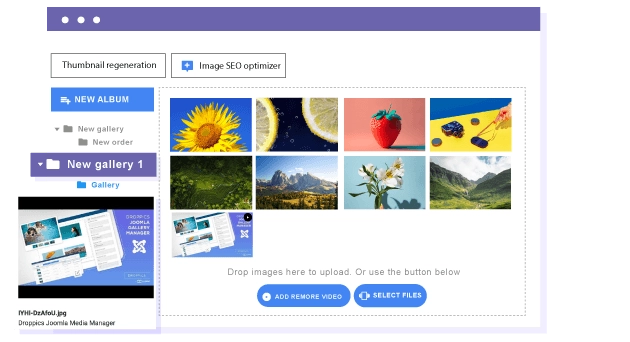
- **Fast uploader** supporting AJAX multi-upload, remote videos (YouTube, Vimeo), and mobile devices[1][2][4]
- **Importer tool** for existing Joomla media and server folders[1][2]
- **Quick image replace** across the site without broken links[1][2]
- **Integrations** with page builders (SP Page Builder, Yootheme Pro), K2, modules, and most Joomla editors/CCKs[1][2]

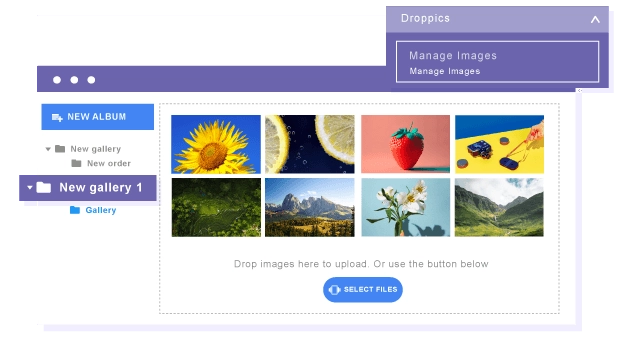
Image and video multi-level galleries With Droppics, you can manage galleries and sub galleries using drag'n drop, and the same process applies to order images. What's more, frontend gallery navigation is AJAX-based, without reloading the page. You can load multilevel navigation
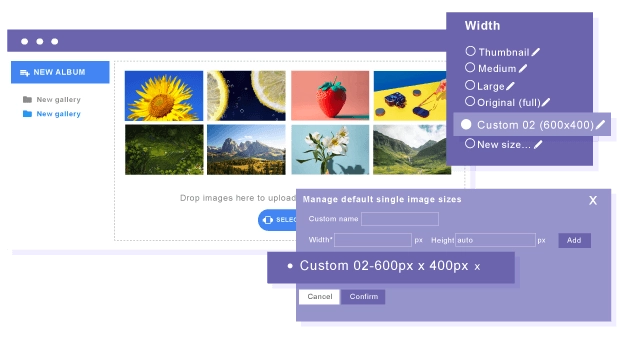
Joomla image smart resizing plugin and custom sizes Droppics handles by default 3 images sizes with an automatic resize on upload: original, large and thumbnail sizes. You can also create your own custom size on upload or after image upload. Original images are preserved, and you can even edit images (crop, resize, apply effects...) after resize.
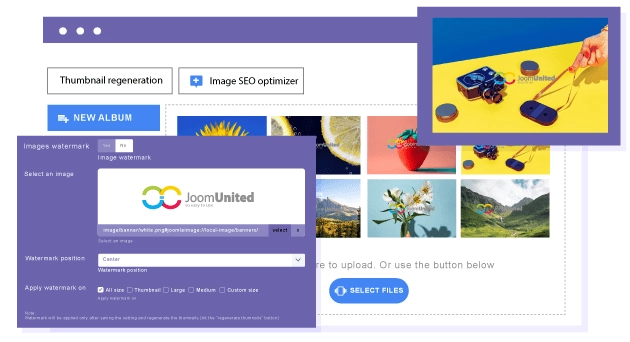
Joomla image protection with watermark Droppics includes a watermark system (copyright) for all your images and it can be done in few click, even on thousand of images. Select a copyright image you want to merge with yours, the size to apply and Droppics will regenerate absolutely all the images with watermark included.
Manage images and galleries from frontend Images and galleries can be managed from the frontend in 2 ways: Using the text editor button like in backend or using a dedicated interface with a custom frontend template. Droppics works with Joomla ACL, and you can define which user group can add/modify/remove images and categories.