Droptables, the Joomla spreadsheet extension
Droptables is a Joomla spreadsheet like extension to manage all kinds of tables. The table manager is also integrated with Excel and Google Sheets
Why Droptables, the Joomla spreadsheet extension
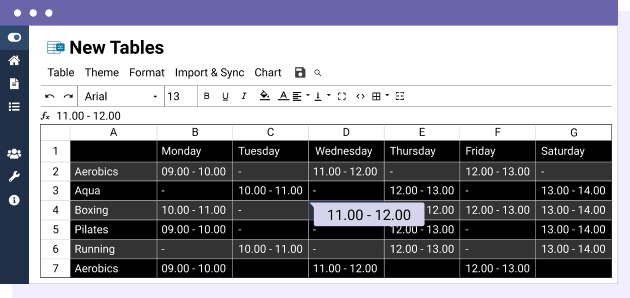
- Real spreadsheet interface for editing tables like Excel or Google Sheets
- One-click table themes
- Excel and Google Sheets synchronization (import/export)
- Calculation functions
- Auto-generated charts from table data
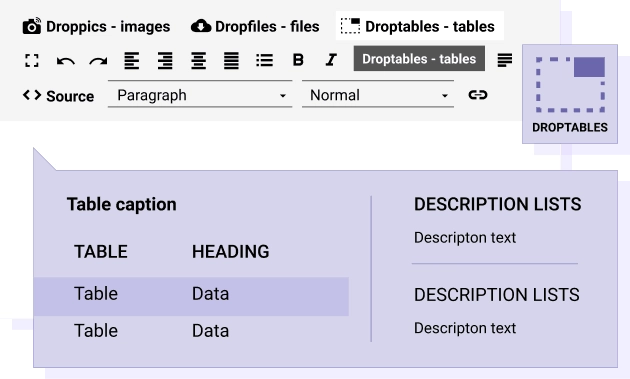
- Fully managed from any editor, working identically in frontend and backend
- Create tables from Joomla database with filters, sorting, and auto-updates
- AJAX automatic saving and optimized performance
- Advanced responsive modes for mobile
- Cells and columns freezing
- Unlimited tables, rows, and columns

Edit Joomla tables like in a spreadsheet Tables are difficult to manipulate in HTML, and Joomla does not offer a native tool to do that. What about editing tables like in a spreadsheet sound? All it takes is clicking on a cell, editing the data and voilà! It's saved automatically. You save time and not even a user mistake can break your table layout.
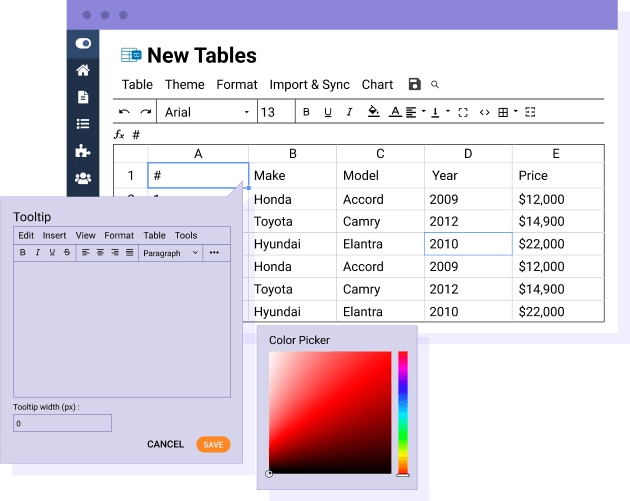
Powerful table manager: tooltips, visual cell editor Easy-to-use does not means basic at all. You have tons of tools available to edit your table including visual tools for color, borders, border radius and more. Each cell can also be modified with the Joomla visual editor with all features available. For advanced users, a custom CSS code edition with code mirror is also available in each table.
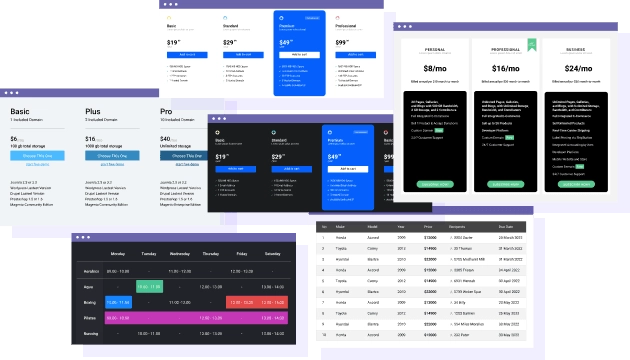
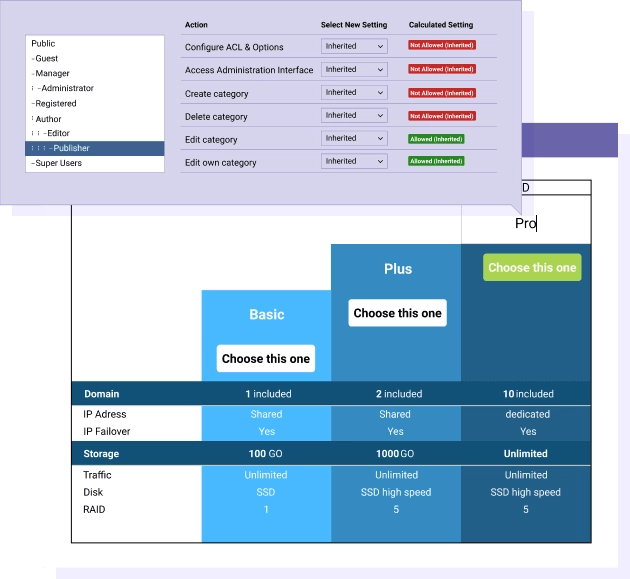
Theme and design for pricing tables or any Joomla tables Droptables comes with 9 themes and everything is editable. For example, add the planning table theme, change the hours with your data, and you're done. You can even create your own from scratch like a pricing table because tables can be copied in a click. TABLE THEMES DEMO
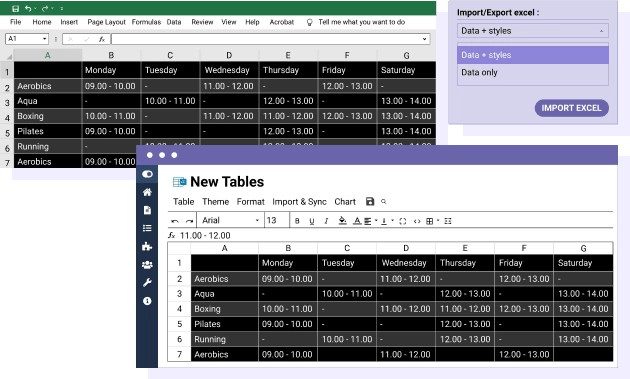
Excel spreadsheets Joomla synchronization An Excel Import & Export tool is available for each Joomla table. Save a lot of time, import your spreadsheet file, create your layout and publish it. What can I import/Export? You can import all data + some Excel styles or only the data and preserve your table style. The styles compatible for Import/Export are: cell background color, font color, font size, borders, links (HTML format). MORE ABOUT EXCEL TABLES
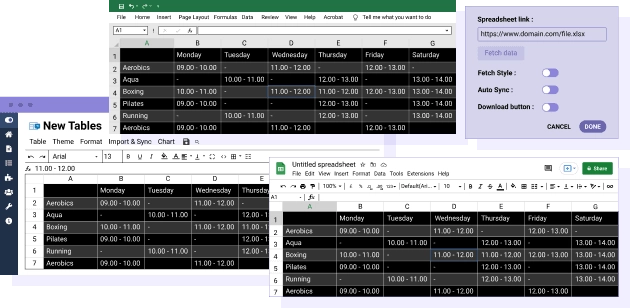
Auto synchronization between Joomla and Google Sheets Yes, you read it right. Link a Google Sheets to a table from Droptables, and you can make an automatic synchronization of the data. It's also possible to run a single import of table data and continue editing your table from Joomla. MORE ABOUT GOOGLE SHEETS
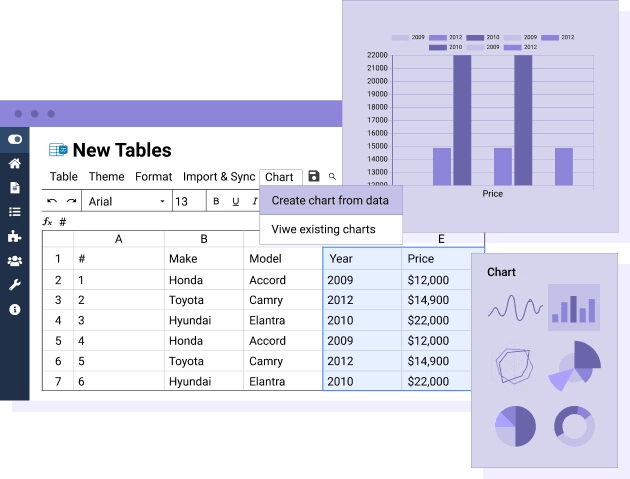
Chart generated from the spreadsheet table data The plugin comes with Chart.js integration. Select a data range, choose one of 6 styles (pie, bar...) and add it anywhere in your content. And just saving the best for last, graphs are automatically updated when you edit your table data! You can also generate multiple charts from a single table. Flexible, right?
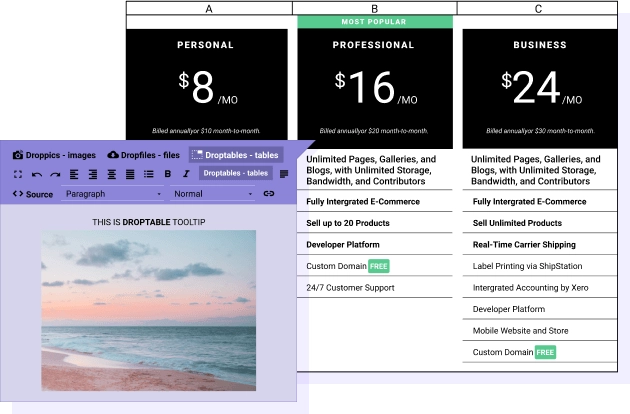
Tooltip editor in table cell The tooltip on cell is a cool feature that adds content and style to a table. You can add a tooltip on each cell. As usual, it's easy and can be done by clicking on the tooltip button and adding content using the Joomla editor. You can add any HTML in the cell, including media and images...
Control on table edition and frontend editor Droptables has a dedicated frontend template to manage tables in a comfortable environment. Plus, based on Joomla user group and user actions, you can restrict the table edition action a user can perform. The frontend table access is based on Joomla ACL system.
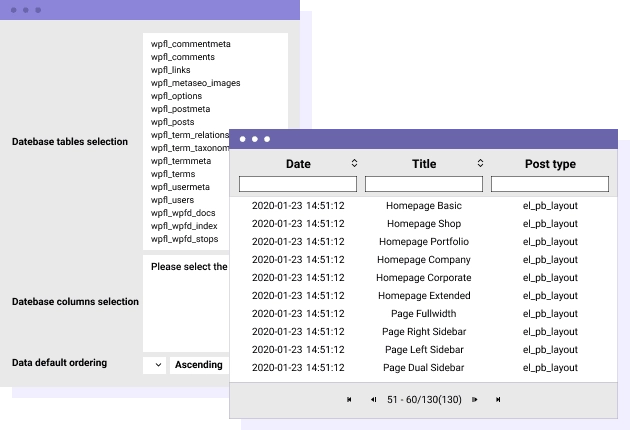
Create Joomla tables from database Droptables got a tool to generate tables from a selection of database data. Select some tables and columns from the database, apply some optional filters then manage the table from a spreadsheet interface. Your table is incremented automatically on database updates! Furthermore you got some sorting, filters, automatic design, pagination automatically applied. TABLE FROM DATABASE DEMO
All Joomla page builders, text editors and extensions compatible If you’re running any 3rd party Joomla extension, like an E-commerce or a page builder extension, you can add your tables in the content and it'll work. In fact, Joomla just need the content plugin to be in use to load your spreadsheet.