
WP Meta SEO, The WordPress SEO Friendly Plugin
Optimize your Wordpress SEO with WP Meta SEO plugin: an advanced meta, redirect, sitemap and content SEO optimizer. Try it for FREE!
Why WP Meta SEO, The WordPress SEO Friendly Plugin
- Full control over WordPress website's SEO with accurate, accessible tools[2]
- Meta information bulk editor for titles, descriptions, and more[1][2]
- Image SEO optimization, including bulk editing of alt text, titles, file names, legends, descriptions, and HTML resizing fixes[1][2]
- Powerful XML and HTML sitemap generation with customizable sources, update frequency, priority, and error checking[1][2]
- Redirect manager for 404 errors, internal broken links, and custom redirects[1][2]
- Google Search Console integration (Pro version) for keyword suggestions based on Google data[1][2]
- On-page SEO analysis with live checks, snippet previews, and 7 criteria validation[1]
- Google Analytics integration for tracking and statistics display[1][3]
- Compatibility with WooCommerce, custom post types, Elementor, Yoast importer, and other plugins[1][2][3]
- 404 error monitoring, indexing, and one-click redirects[1][2]
- Breadcrumb generator and canonical URL management[1]
- Social sharing custom elements for Facebook and Twitter[1]

ASK A QUESTION You have a doubt about our features? Ask the team >> ASK A QUESTION
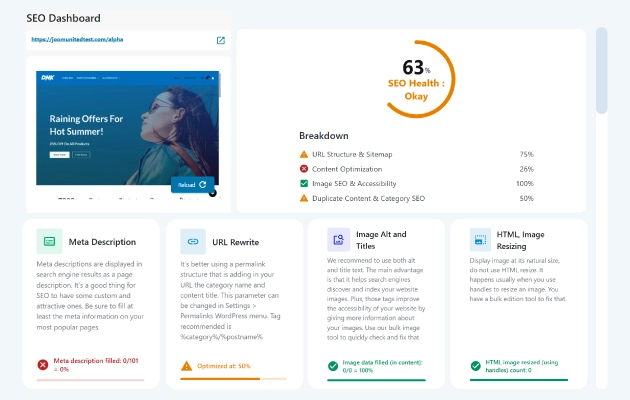
A WordPress SEO plugin you can understand We're here to help you get the best SEO ranking, and that's why we've built an understandable WordPress SEO plugin. You got: A dashboard that summarizes all the SEO criteria that needs to be improved An on-page analysis that helps you with fixing the main SEO mistakes A pre-configured sitemap tool to submit to Google A suggestion of keyword based on Google data while editing your content
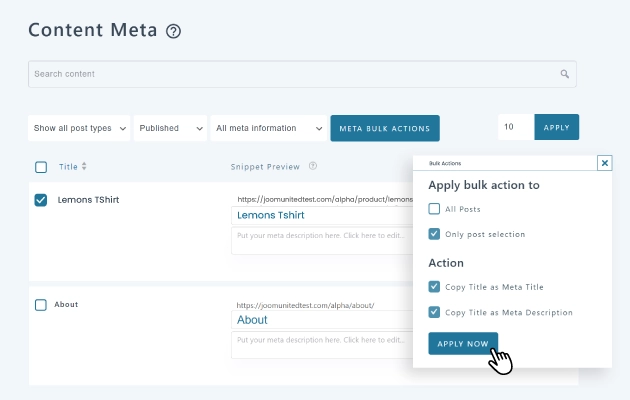
The fastest meta editor on WordPress Meta titles and descriptions content editing is faster than ever before and can be done from the content itself or from a dedicated interface. On the other hand, the bulk meta editor is simply the fastest process implemented in a WordPress SEO plugin to edit all your meta. You get tools like bulk copy titles as meta titles, filtering and searching in post types and automatic saving. It's saved automatically with AJAX and readily available online! The Pro Addon includes a duplicate meta title and description checker. MORE ABOUT BULK META EDITOR
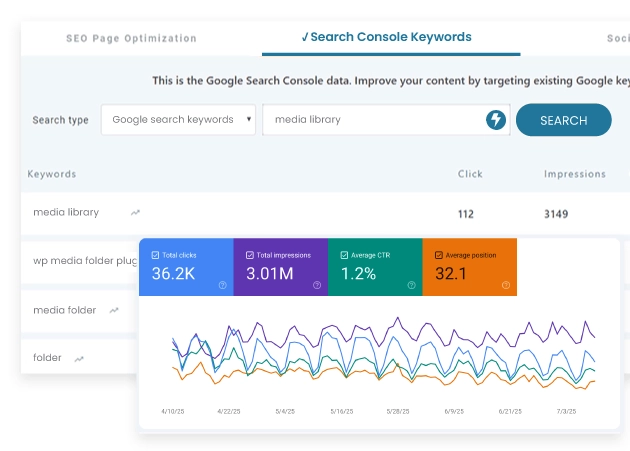
Use the Google Search Console data for your SEO directly in WordPress WP Meta SEO Pro Addon comes with the Google Search Console integration. Connect the Google Search Console to WordPress and get Google keywords suggestion based on the current page you're optimizing. You can also ask Google for any keyword and get related recommendations, still from the WordPress admin! GOOGLE SEARCH CONSOLE
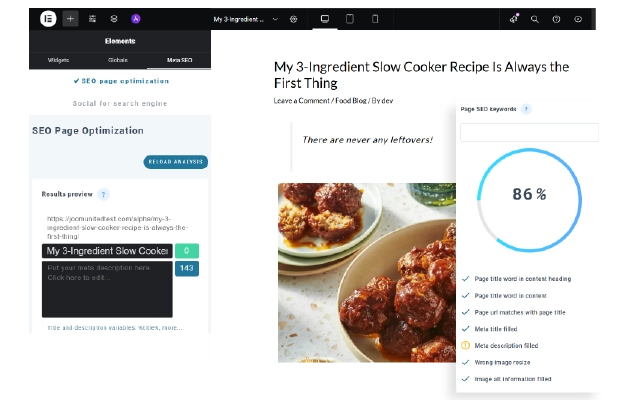
Elementor SEO optimization optimizer plugin WP Meta SEO is fully integrated with Elementor page builder. While building your page with Elementor blocks, you'll have direct access to page title, meta information, SEO analysis and custom keyword check. WORDPRESS IMAGE SEO
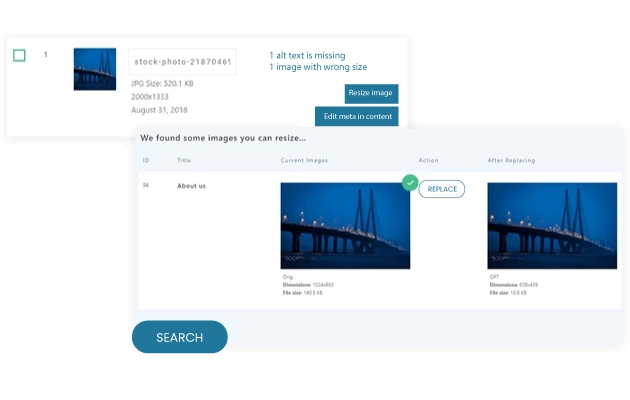
Keep your WordPress images displayed at their native size It's critical for SEO to display images at their natural size i.e. an image with dimensions 250px by 250px should be displayed with a size of 250px by 250px. Thankfully, WP Meta SEO includes a unique tool that dynamically resizes all your WordPress images in one click when required. As a result, it improves your site's speed and design and overall your SEO performance. WORDPRESS IMAGE RESIZING
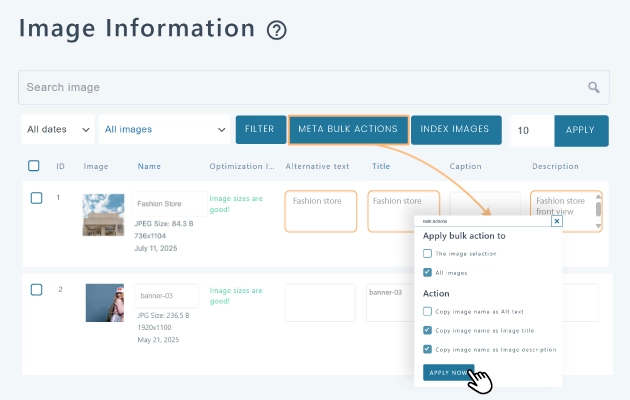
WordPress image alternate, title and information quick edition Image's alt, title, legend and description attributes are not something you usually care about when you optimize a website for SEO at the beginning. Nonetheless, it’s essential! Those images' information adds content to your page and help you to be more present in image searches. The plugin includes an image optimization check on each page and a bulk editor interface where you can edit: Image file name (replaced in content) WordPress Image title WordPress Image alt tag WordPress Image legend Image description WORDPRESS IMAGE SEO
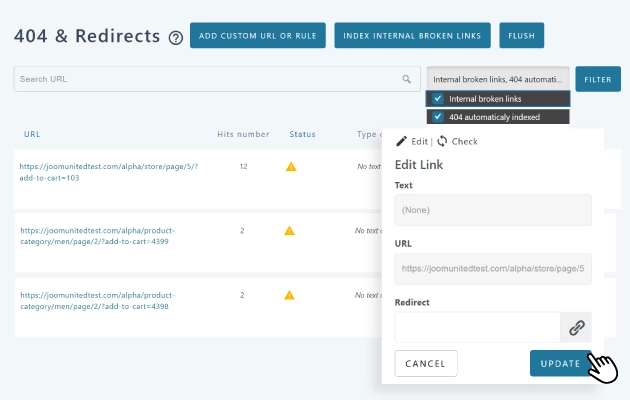
Manager of WordPress 404 errors and redirection The 404 and redirect manager is a tool that allows you to handle all 404 errors you can encounter on WordPress, both from external or internal content. The tool comes with the following features: Crawl your content and index all internal 404 errors Track external websites for 404 error generation Index 404 on media Create WordPress custom redirect Custom redirect based on rules Store 404 hit count per URL Remove all 404 link in content from WP Meta SEO Run automatic check on 404 and get Email report 404 ERRORS & REDIRECT MANAGER
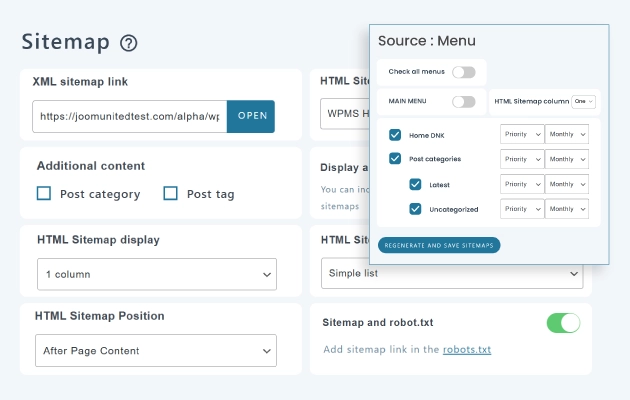
Sitemap XML and HTML generator for WordPress The sitemap generator has been built for final users. Make your content selection, including WordPress menus and generate XML + HTML sitemaps in no time. All features: Generate automatically XML and HTML sitemaps Sitemap source: menus, posts, categories, pages, author, custom post Automatically submit sitemap to the Google Search Console Setup update frequency and priority for each link HTML sitemap display with 3 columns Plugin Addon: automatic sitemap link checker Plugin Addon: 2 HTML sitemap themes, accordion and tabbed Add link in the robot.txt Copy and sync an XML sitemap to server root WORDPRESS XML & HTML SITEMAP
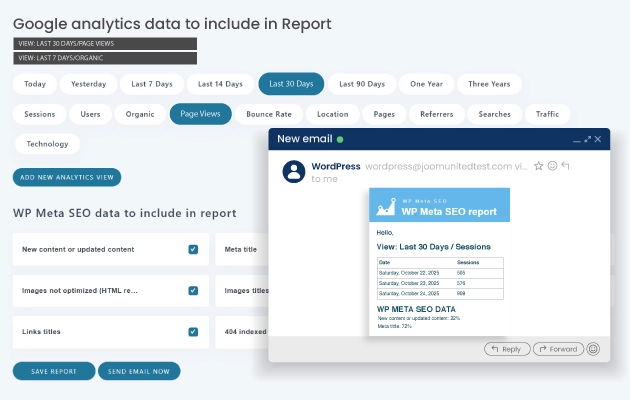
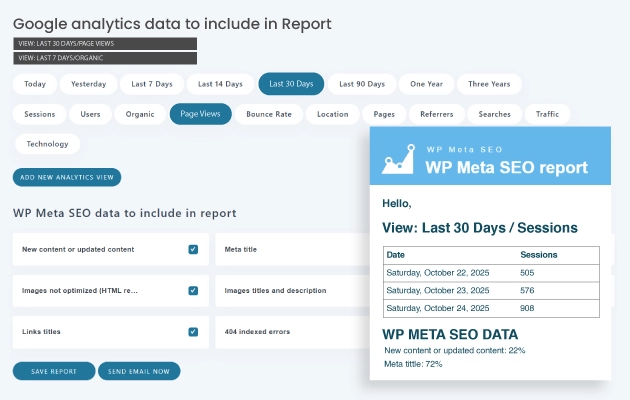
Get a WordPress SEO status email report in your inbox SEO optimization is therefore hard to imagine without Google Analytics analysis. We've included in the plugin an easy way to enable Google Analytics tracking in 2 clicks. Then, from the WordPress admin you'll get access to all the stats that matter with graph view, clean data tables and up to 100 different statistics screen view. SEO EMAIL REPORT DETAILS
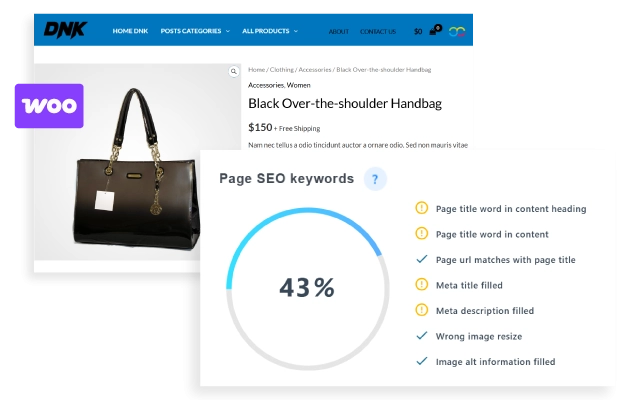
WooCommerce and 3rd party plugins integration If you’re running WooCommerce, using a page builder, or any other custom post type plugin - in fact the majority of the WordPress plugins - WP Meta SEO will work for you! You’ll be able to fill and fix all SEO content right from your WordPress product or custom post type or from the bulk editor. Plus you can import all meta from the Yoast SEO plugin and the All-in-one SEO plugin.
Google Analytics WordPress integration Included in the plugin Pro Addon only: Improving your WordPress website’s SEO is one of the most important thing and what about keeping the SEO performance with an eye on Analytics data? WP Meta SEO plugin can display a proper view of the Analytics data without leaving the WordPress admin. GOOGLE ANALYTICS INTEGRATION

WordPress local business SEO Optimization Display your local business nicely in Google search results using the Local Business structured data information. Fill the form, the plugin will do the rest!
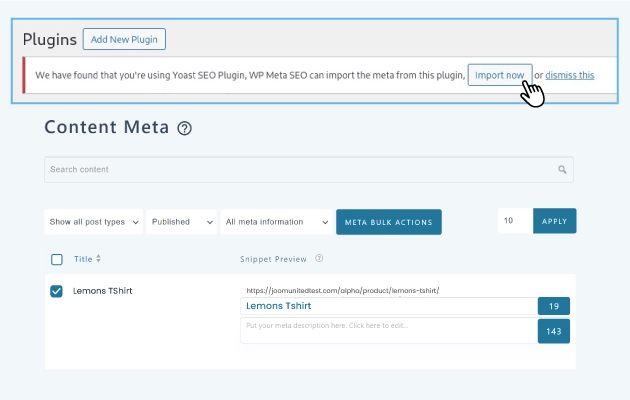
WP Meta SEO vs Yoast SEO plugin: Comparison and data migration On plugin install, if Yoast SEO is detected, you can run a full meta import. Check it out, it done in one click. Hit the link below to compare WP Meta SEO and Yoast SEO features. COMPARISON - WP META SEO vs YOAST SEO
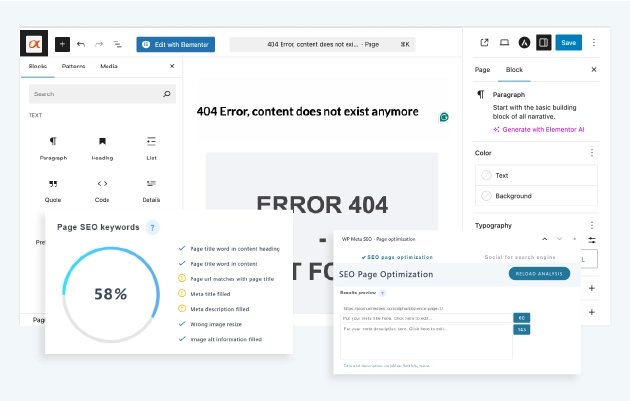
WordPress SEO for the WordPress Gutenberg editor All the WP Meta SEO features are available in the WordPress Gutenberg editor as well as other page builders like Elementor or DIVI builder. From the Gutenberg editor use our Page analyzer and keyword suggest in a comfortable full width layout. Of course the WordPress classic editor is also supported.
Detailed Features
Responsive Layout
Seamless experience on desktop, tablet, and mobile
Clean Typography
System fonts optimized for readability
Flexible Grid
Modern and adaptable layout system
Customizable Colors
Fully editable color palette
Balanced Spacing
Optimal use of white space
Simple Header/Footer
EEssential and no-frills elements
WooCommerce Compatible
Integrated e-commerce with a consistent design
Easy Menu
Clean and intuitive navigation
Contact Form
Essential contact form
Portfolio Grid
Minimalist project gallery
Clean Blog
Content-focused blog layout
Widget Areas
Essential and organized widget areas
Lightweight Code
Minimal CSS and JS for maximum speed
Optimized Images
Intelligent resource loading
Cache Friendly
Compatible with all cache plugins
Optimized Database
Efficient queries and a clean database
CDN Ready
Ready for Content Delivery Networks
Standards Compliant
Valid and optimized W3C code
Clear Documentation
Easy-to-follow step-by-step guides
Email Support
Email assistance with quick responses
Regular Updates
Constant maintenance and improvements
Demo Data
Sample content to get started immediately
Child Theme
Child theme for safe customizations
FAQ
Answers to the most common questions